Everything, twice.
One design for iOS, another for Android, and a long thread about why they don't match.
Stag builds your design into your team's iOS and Android app, so you see it working before it reaches your developers. No code to learn.
Joining means you accept emails and the privacy policy.

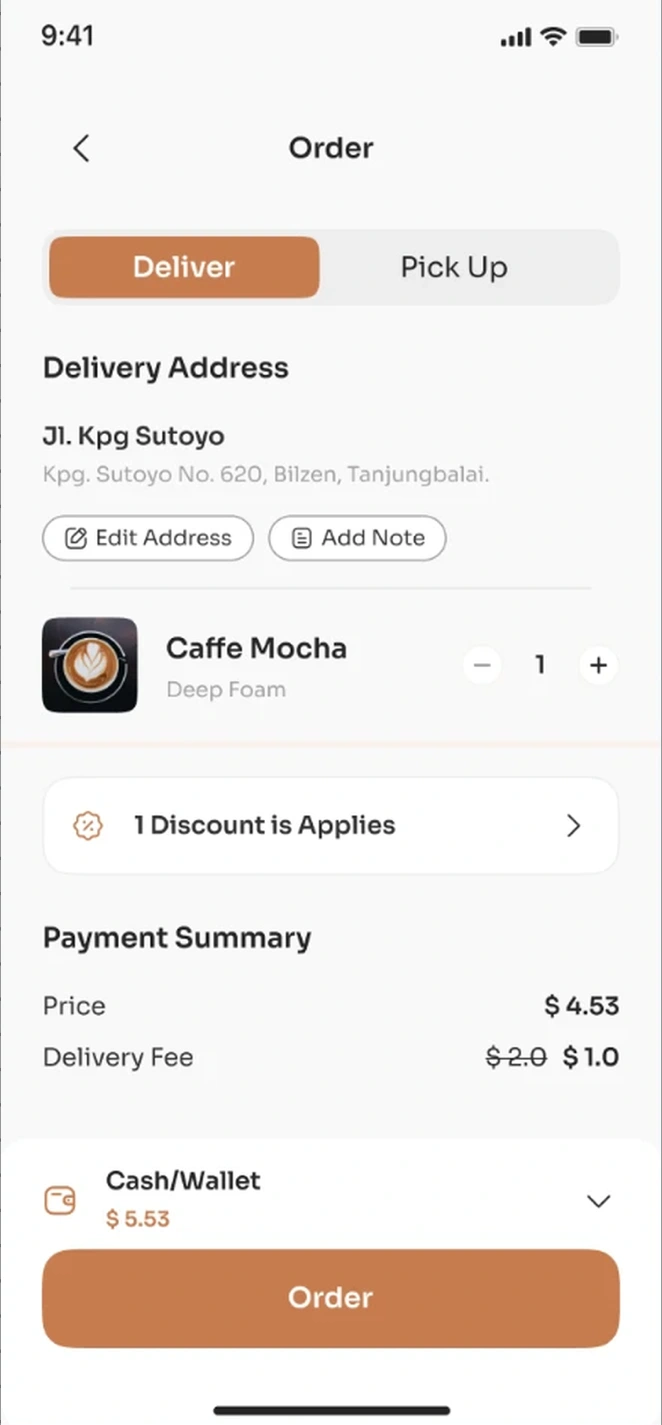
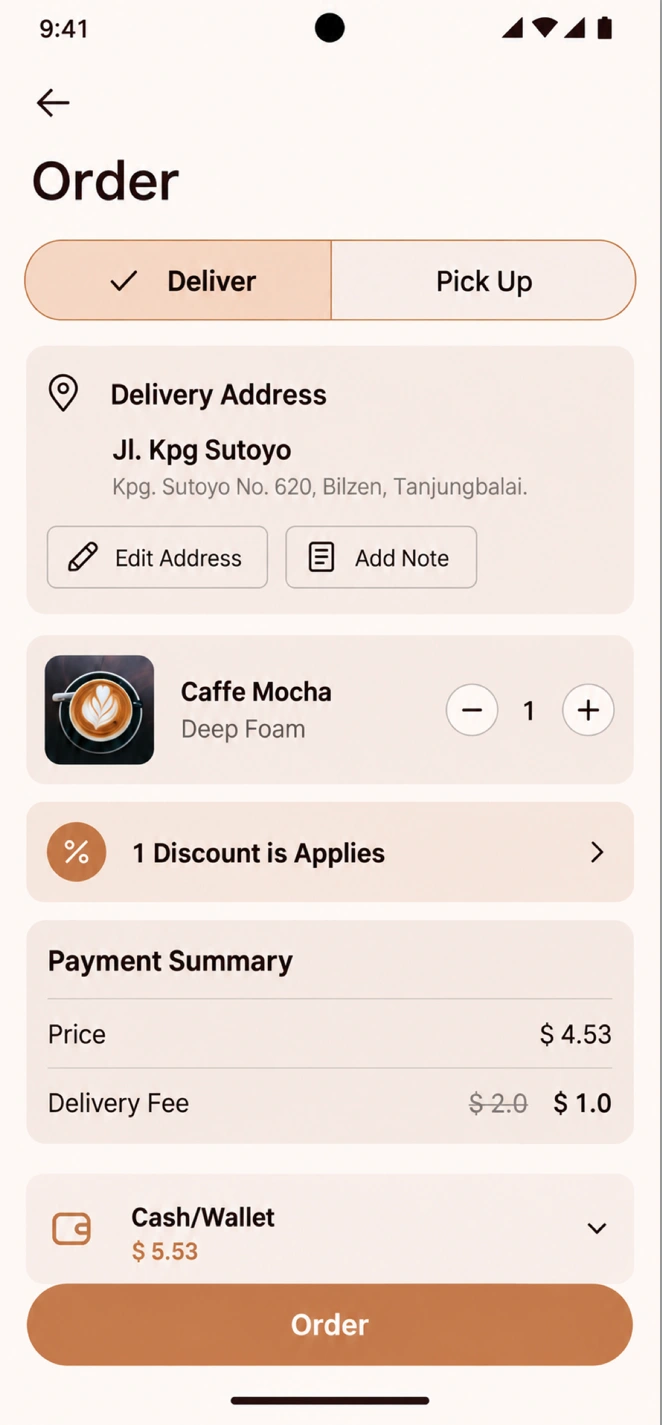

One design for iOS, another for Android, and a long thread about why they don't match.
You hand off a Figma file and hope the app comes back the way you drew it.
Developers ship with AI now. The queue in front of you keeps growing.
Stag aligns your iOS and Android design systems inside the repositories. The code becomes the source of truth, and every change updates it.
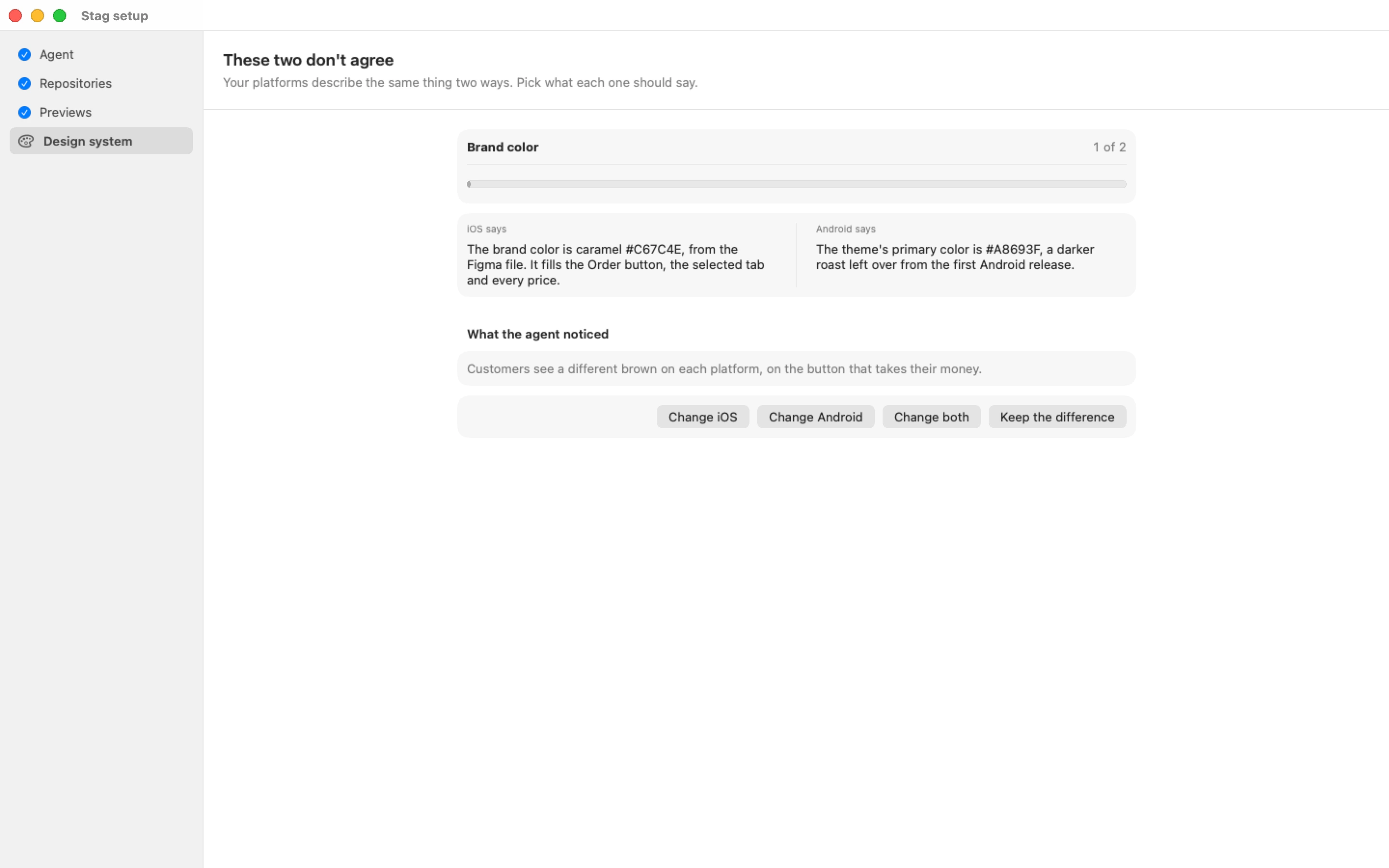
You prototype on the real app, not a picture of it.
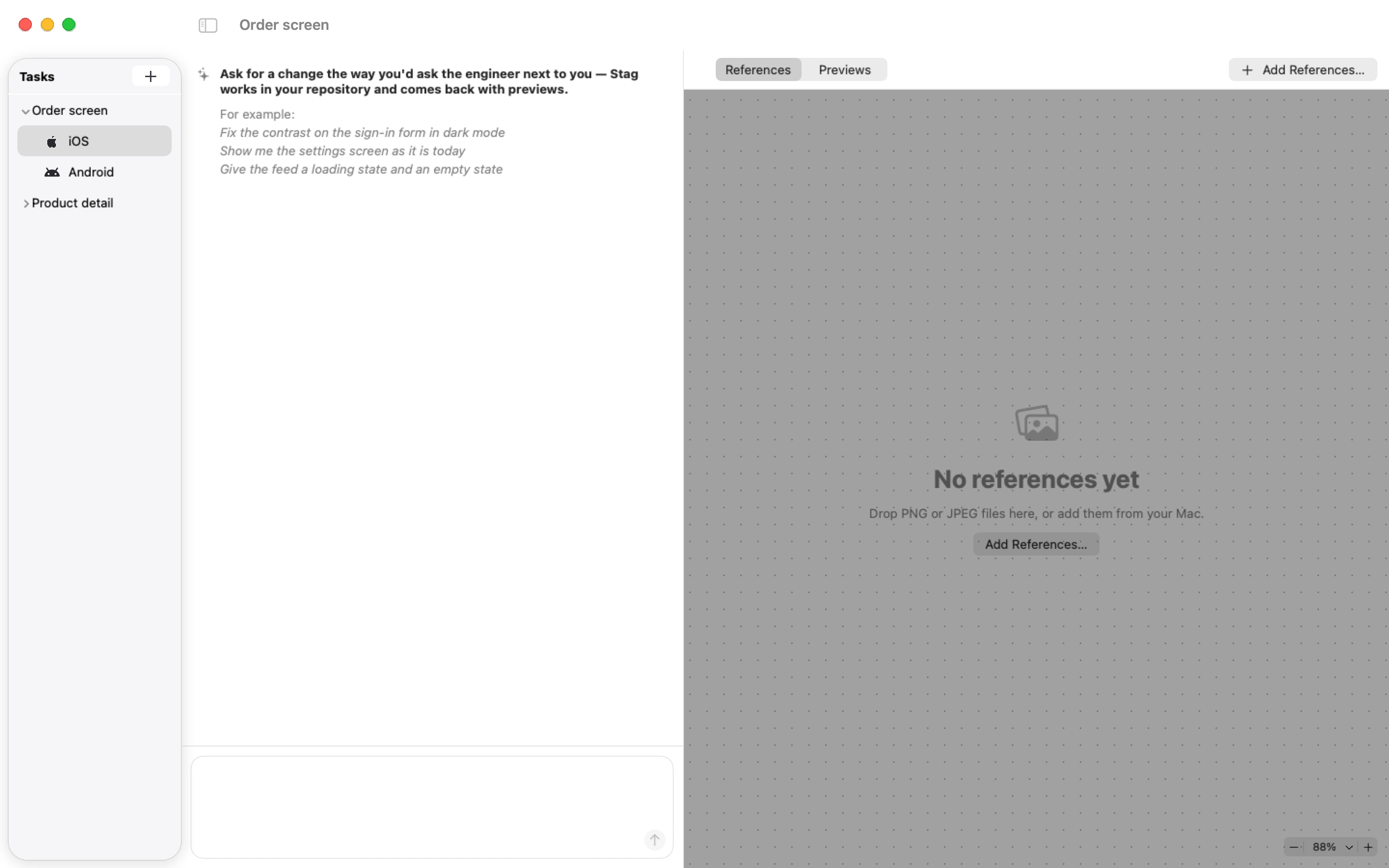
You bring your Figma design, and Stag builds it in the real app on both platforms.
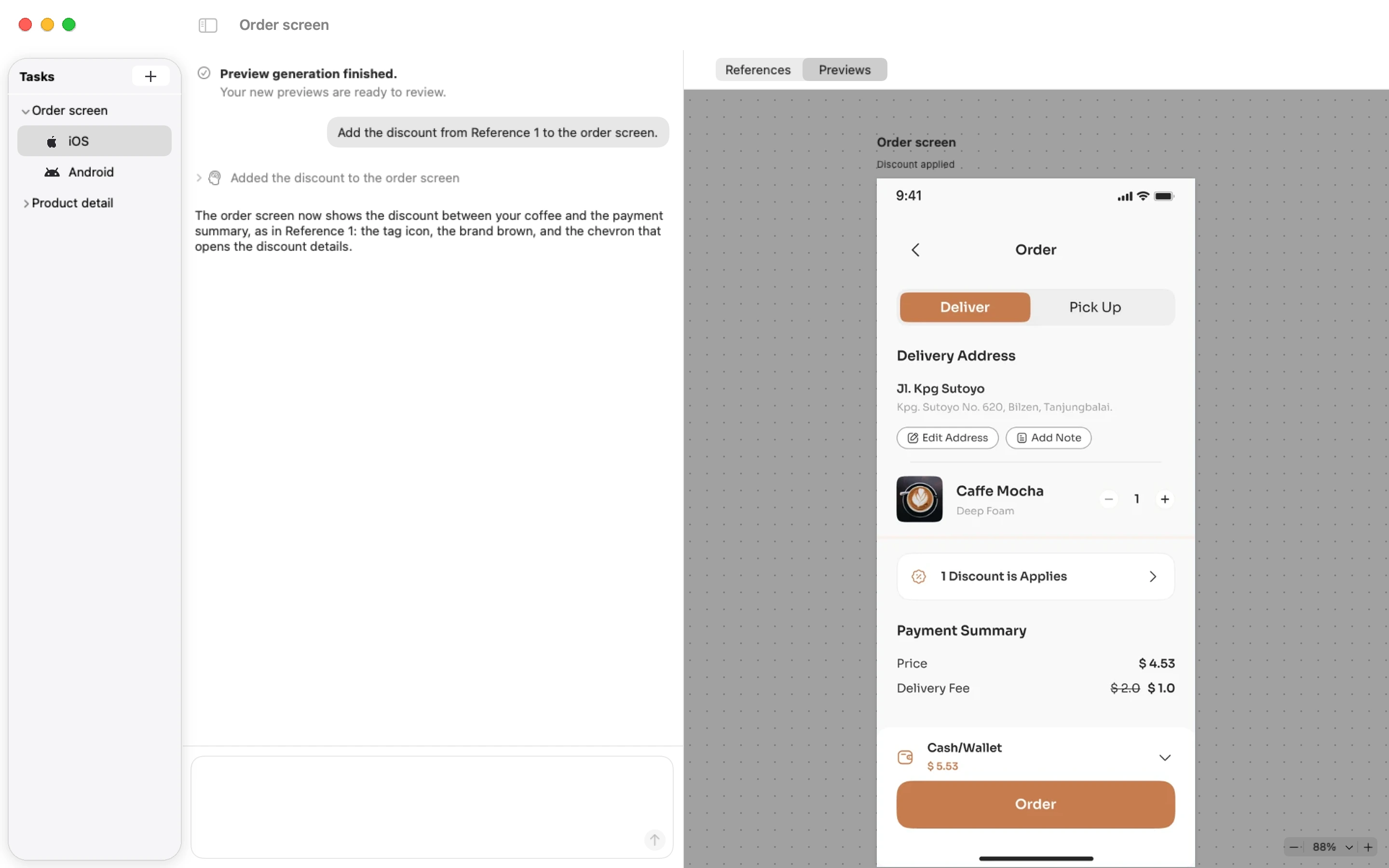
You see it with your own eyes: the states, the transitions, the edge cases.
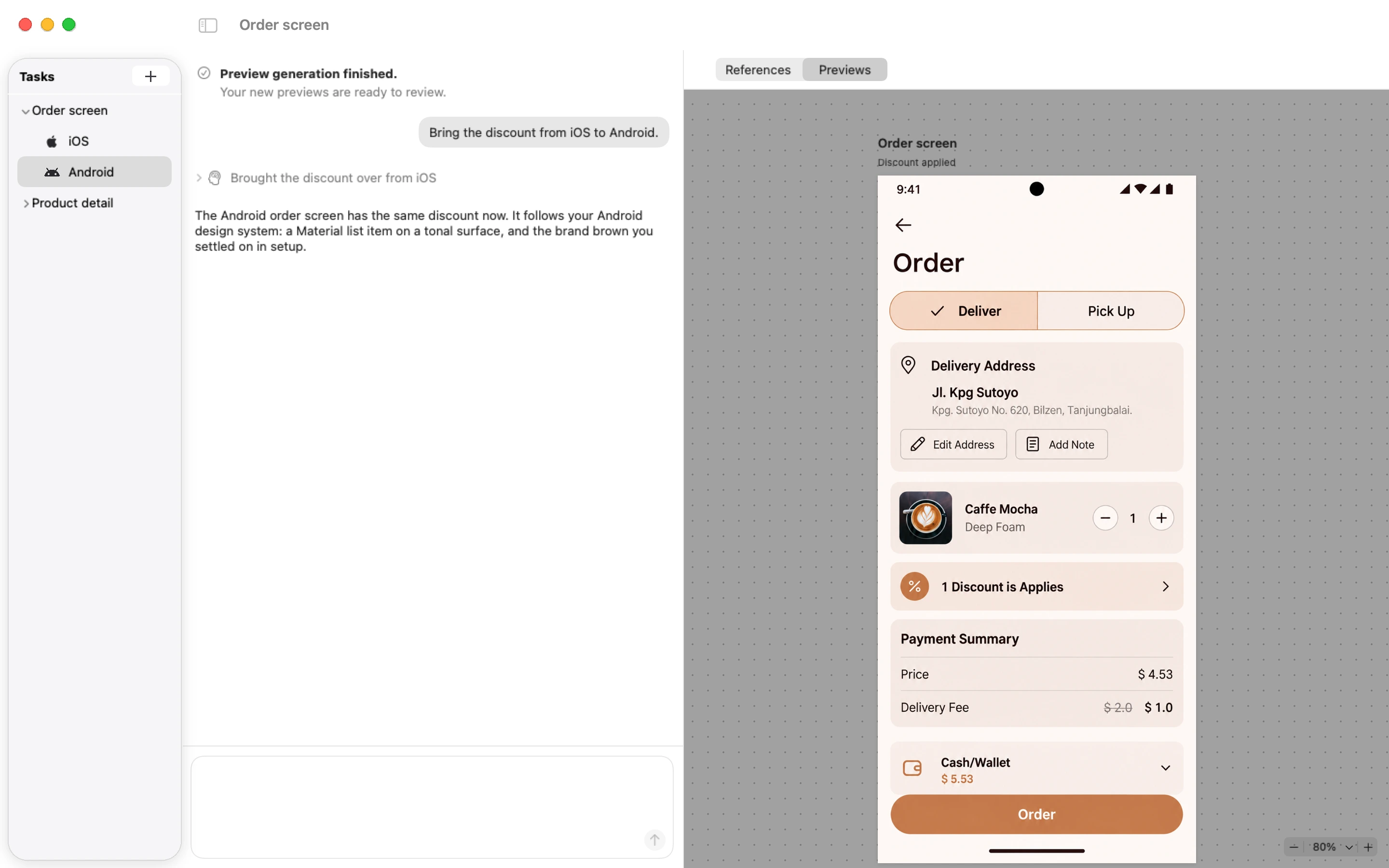
You send a pull request. The developers start from a working UI in their own code and take it from there: logic, data, backend.
UI design: Coffee Shop Mobile App Design, Figma Community.
No. You describe the change in plain words. Stag works in your team's repository and shows you previews of the real app.
Yes. Stag works in your team's real iOS and Android repositories, not in a separate prototype.
Bring your Figma frames as references. Stag uses them to build the real screen on each platform.
Yes. When it looks right, your work reaches them as a pull request in their own code. They start from a working UI, see exactly what changed, and adapt it for production before they merge.
A Mac. Stag is a native macOS app, currently in private beta.
We email you when your spot opens and when there are important product updates. You can unsubscribe anytime from the link in any email.